
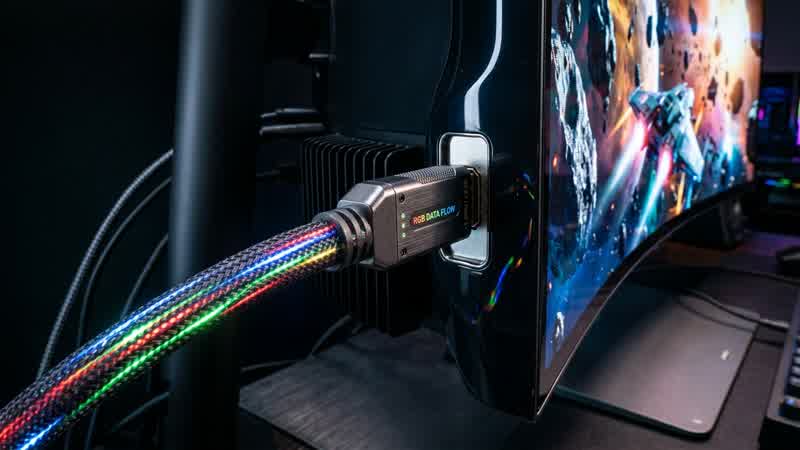
As 4K 240Hz QD-OLED and 1440p 480Hz WOLED gaming monitors become mainstream, one specification dominates monitor buying discussions: DisplayPort 2.1 UHBR20 (80 Gbps) versus DisplayPort 1.4a (32.4 Gbps) and HDMI 2.1 (48 Gbps) utilizing VESA Display Stream Compression (DSC).
Worse yet, not every port labeled "DisplayPort 2.1" delivers the full 80 Gbps bandwidth. Here is how to decode UHBR certification tiers, verify whether DSC degrades image quality, and eliminate the infamous 3-second black-screen delay when Alt-Tabbing out of fullscreen games.
Title: Display Bandwidth & UHBR Tier Cheat Sheet
Badge: Display Engineering
- DisplayPort 1.4a (HBR3): 25.92 Gbps effective payload (Requires DSC above 4K 120Hz 8-bit).
- DisplayPort 2.1 UHBR10 (40 Gbps): 38.69 Gbps payload (Less bandwidth than full HDMI 2.1!).
- HDMI 2.1 FRL6 (48 Gbps): 42.6 Gbps payload (Supports uncompressed 4K 144Hz 10-bit; uses DSC for 4K 240Hz).
- DisplayPort 2.1 UHBR13.5 (54 Gbps): 52.22 Gbps payload.
- DisplayPort 2.1 UHBR20 (80 Gbps — DP80 Certified): 77.37 Gbps payload — runs 4K 240Hz 10-bit RGB completely uncompressed (`68.56 Gbps required`) over asingle cable without DSC.
Is VESA DSC 1.2a Really "Visually Lossless"?
When your monitor's resolution and refresh rate exceed your cable's raw bandwidth (for example, running 4K 240Hz 10-bit over HDMI 2.1 or DP 1.4), the GPU's display engine automatically engages VESA Display Stream Compression (DSC) at up to a 3:1 compression ratio.
Unlike YouTube video compression that looks across multiple frames and smears motion, DSC is a line-by-line intra-frame codec with less than 0.5 microseconds of latency (literally a single horizontal scanline). In blind ISO/IEC 29170-2 human flicker tests, DSC is genuinely indistinguishable from uncompressed RGB to the naked eye.
The Real Reason Enthusiasts Want Native UHBR20 (80 Gbps)
If DSC looks identical in motion, why does native UHBR20 (80 Gbps) matter?
1. Zero GPU Internal Head Exhaustion: On many GPUs, enabling DSC consumes two of the GPU's four internal display heads for a single monitor, limiting multi-monitor setups or disabling custom integer scaling / DLDSR modes.
2. Instant Alt-Tab Switching: When a game runs in Legacy Exclusive Fullscreen on a DSC-compressed display, pressing `Alt + Tab` to a desktop running a different refresh rate or color depth can trigger a 2-to-4-second DSC stream re-negotiation black screen.
How to Fix DSC Alt-Tab Black Screens Right Now (Even on DP 1.4 / HDMI 2.1)
If your current monitor uses DSC over DP 1.4 or HDMI 2.1, you can eliminate the Alt-Tab black screen immediately without buying a new GPU or monitor:
- Switch your in-game display mode from Exclusive Fullscreen to Borderless Windowed, and enable Optimizations for Windowed Games inside Windows 11 Settings → System → Display → Graphics. In DirectX 11 and DirectX 12, Windows 11's Independent Flip Model gives Borderless Windowed the exact same zero-latency direct scanout as Exclusive Fullscreen while keeping the DSC link permanently locked to your desktop resolution.